Browsing the Internet is part of many people's routine, but the risks involved often go unnoticed. From malware and phishing attempts to hacking, your devices can be vulnerable to different types of threats.
There are many actions you can take to increase the security of your browsing experience. One of the easiest and most important is to make sure the network firewall on your router is enabled.
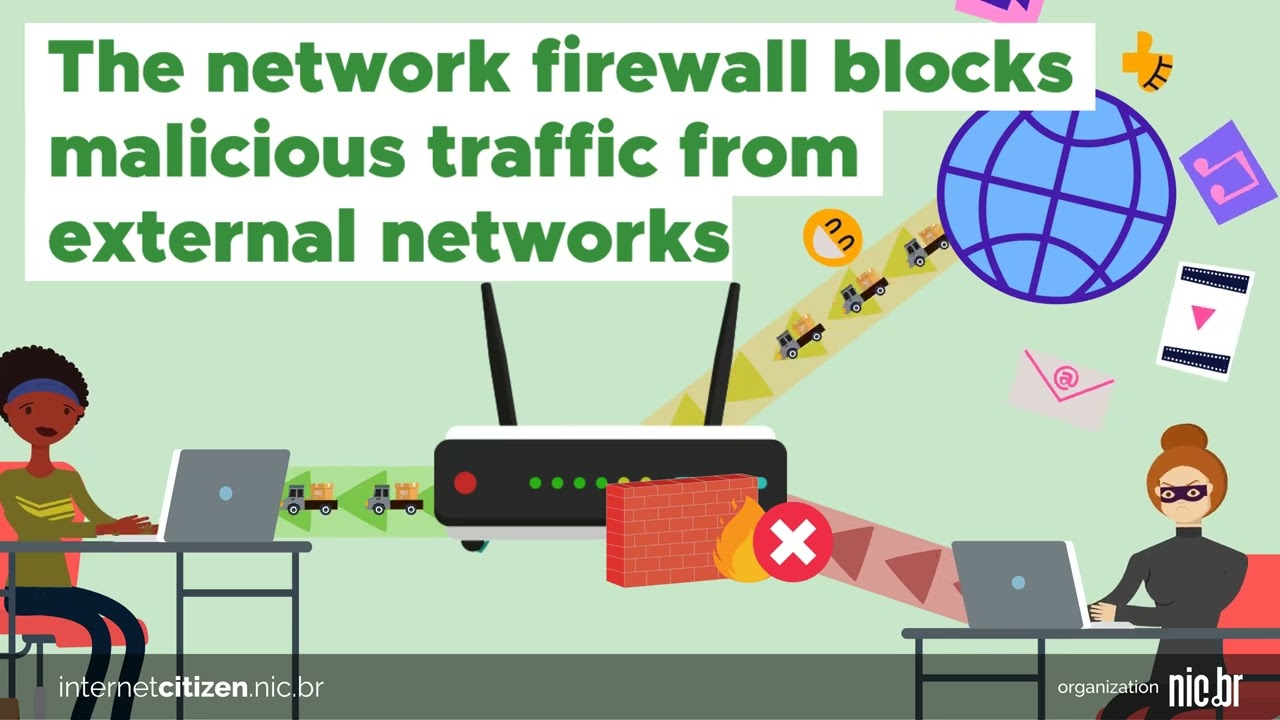
By following a set of rules, a network firewall filters packets that can enter and leave your network. This protects connected devices against unauthorized access.
Modern routers, including modems with built-in router functions, usually come with network firewalls already installed and enabled. However, it's always a good idea to check the settings to see if this is actually the case, especially if you are using equipment other than what was provided by your Internet service provider. Visit the router manufacturer's website to learn how to verify the status of the firewall and enable it if necessary.
In addition to the network firewall, some operating systems also come with a personal firewall installed that adds an extra layer of protection. On Windows, it's enabled by default. On MacOs and Linux you may need to activate it manually. Even so, making sure the network firewall is enabled is a crucial step in keeping your browsing safe and protecting your privacy.
Make sure your network firewall is enabled and properly configured, as this will add an extra layer of defense against cyberattacks, helping to protect the security and privacy of your network and connected devices.
More information: https://cartilha.cert.br/fasciculos/#redes
Description
In the first scene, a girl is using her laptop and about to go online. The Internet is represented as a globe surrounded by icons showing different activities she can do. There's a router between the laptop and the Internet. At the top of the screen, a phrase reads: “Did you know that your router has a firewall?”.
In the second scene, the girl is connected to the Internet and an attacker sends malicious packets her way, but the network firewall inside the router protects her browsing, blocking the malicious packets. The phrase at the top of the screen now reads: “The network firewall blocks malicious traffic from external networks”.
The phrase continues in the third scene: “protecting devices connected to the router against invasions”. A router then appears and behind it are connected devices like computers and tablets. An attacker tries to come near the router, but the firewall appears: a shield protects the devices, and a hand removes the attacker from the scene.
In the final scene, the girl is still using her laptop. Above her, the phrase reads: “Check to make sure your network firewall is active”. Next, a firewall symbol appears on the shelf next to the router. A shield forms around the area, and the girl claps.
LICENÇACC BY-ND
Companies and organizations interested in participating can become partners in this initiative, adding their logo to a customized version of the videos, which can be published on their website or on other channels. Send us an e-mail parceriacidadaonarede@nic.br to request the application of your company or entity's logo to our videos.